Every feature, for everyone. No paid version, no trial, no card and no account. It stays that way.
Free Chrome extension
Search Console for the page you're on
Open any page of your site and click once. See its clicks, impressions, CTR and position, every query it shows up for, and whether Google has it indexed. No opening Search Console, no filtering by URL.
Free forever · no paid version · your data never reaches us
What it shows
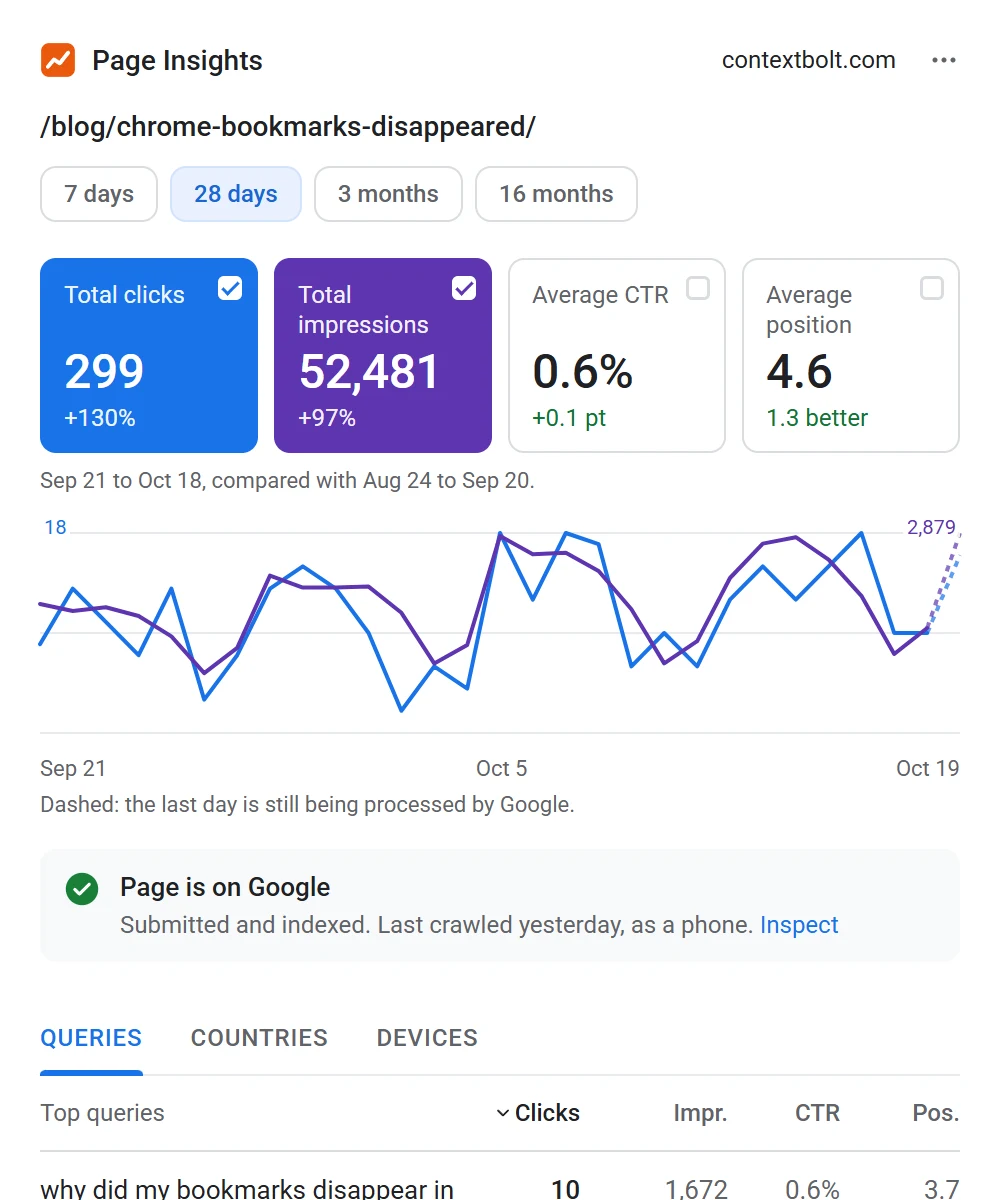
Laid out the way Search Console does it, for one page at a time. These are our own numbers for one of our blog posts.
The page's numbers
Clicks, impressions, CTR and position
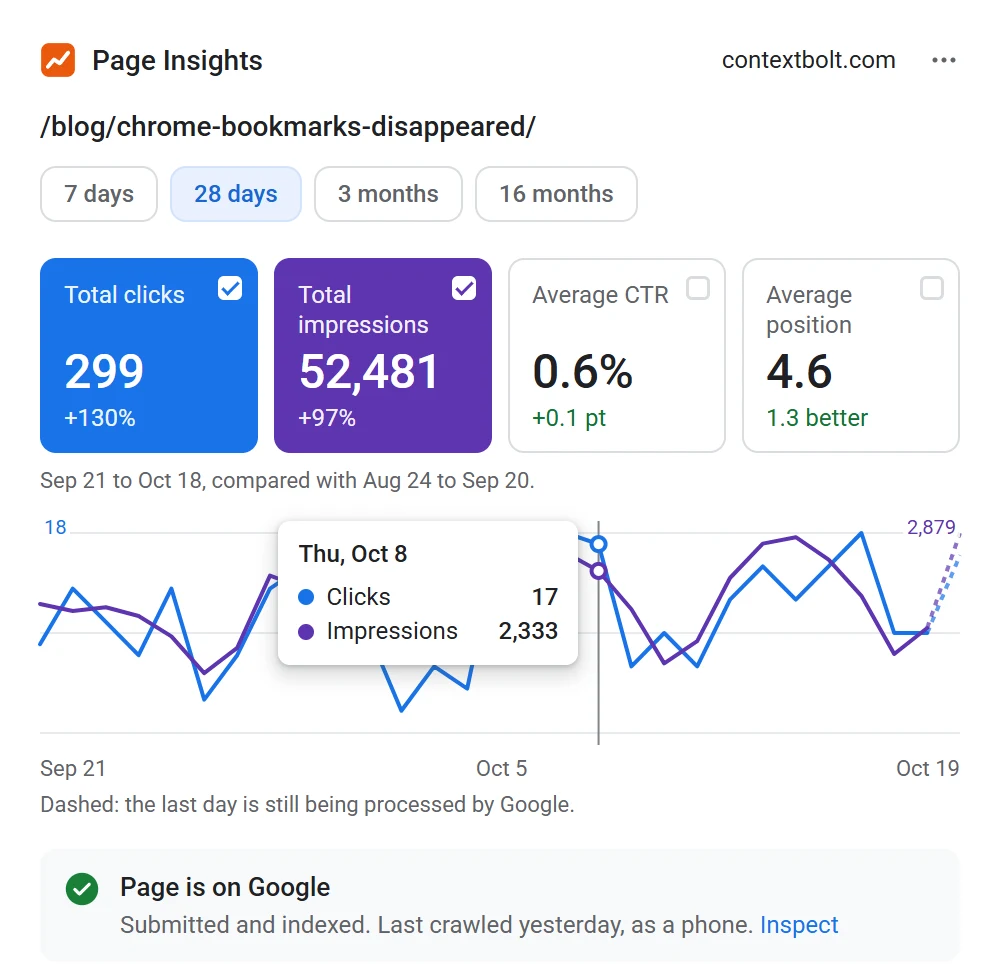
The four boxes you know from Search Console, for the page you're on, with the change against the period before. Click a box to put its line on the chart, hover for any day. Pick 7 days, 28 days, 3 months or 16 months, which is all Google keeps, so that one has no change to show.
Queries, countries, devices
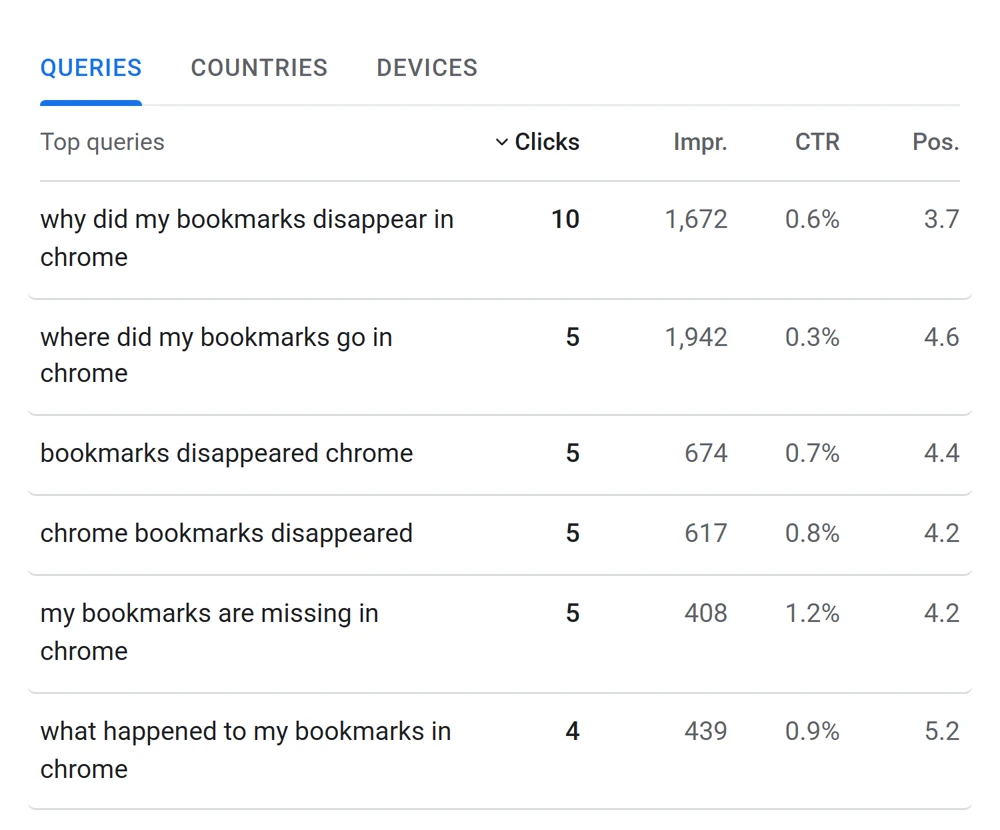
Every query the page shows up for
Sort by clicks, impressions, CTR or position. It says when Google leaves out rare queries for privacy, so you know why they never quite add up to the total.
Worth a look
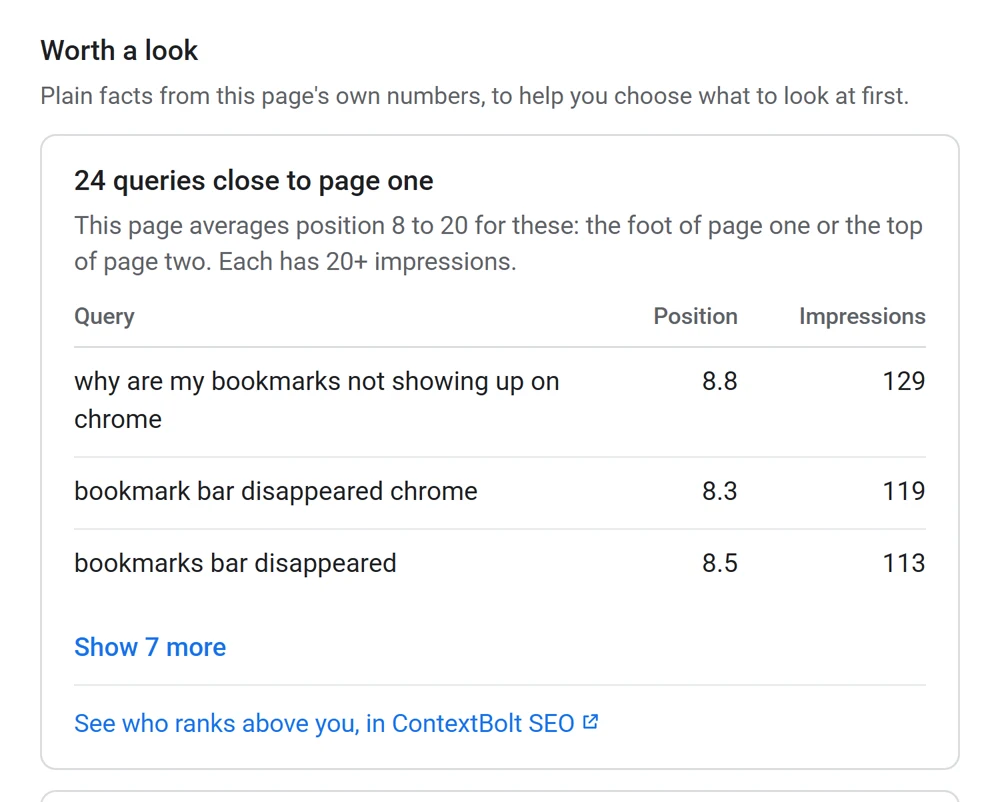
Plain facts, not scores
Queries where the page sits at position 8 to 20. Queries on page one that get seen but rarely clicked. The biggest changes in clicks. The jump links Google shows to parts of the page, which Search Console counts apart from the page itself. Each one shows the numbers behind it. No AI, no score, no "fix this".
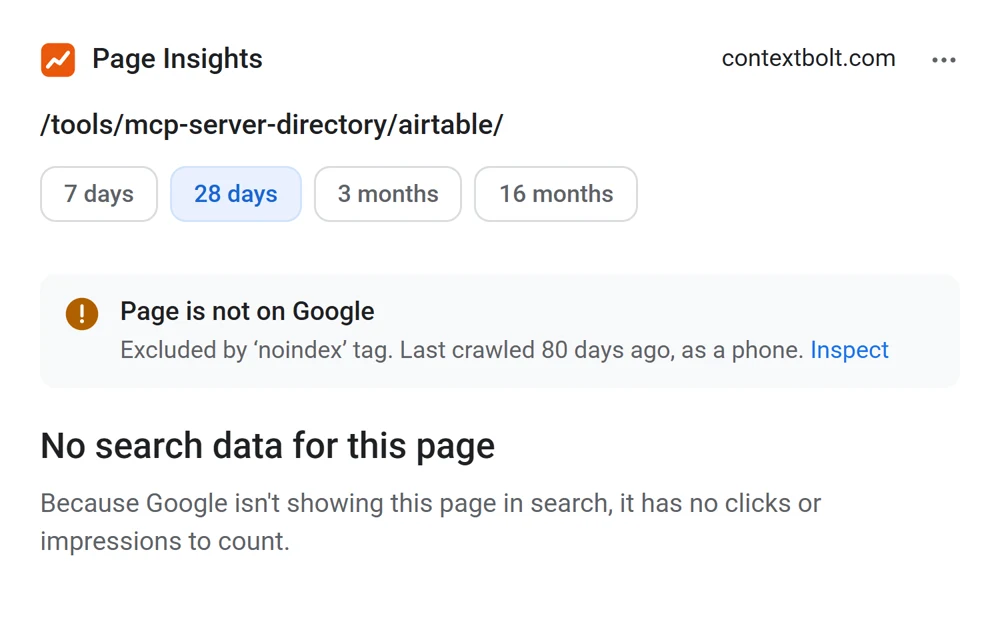
Index status
Whether Google has it indexed
Straight from Google's URL inspection: on Google or not, Google's own reason, when it last crawled the page, and the address Google treats as the main one if it isn't this page.
Free and private by design
It asks Google only for read-only Search Console access. It can't change, submit or remove anything.
Your browser asks Google and Google answers your browser. Your numbers, sign-in and email never reach ContextBolt.
It reads the address of the tab you're on when you click its icon, and nothing on the page itself. Sign out clears everything it kept.
The full detail is in our privacy policy.
Set up in a minute
- Add it to ChromeFrom the Chrome Web Store. It works in Edge too.
- Connect Search ConsoleOne Google sign-in, with whichever account has your sites.
- Click it on any pageOf a site in your Search Console. The numbers show in a second or two.
What Search Console can't show
Whether ChatGPT, Gemini, Claude and Perplexity mention your site Who ranks above you, and which sites link to them Keyword ideas beyond the queries you already get Your AI agent does the research, and every result saves to your SEO Dashboard
That's ContextBolt SEO. 7-day free trial. See ContextBolt SEO
Frequently asked questions
Something else on your mind? Get in touch.
Is there a Search Console Chrome extension?
Yes. Page Insights for Search Console is a free Chrome extension from ContextBolt. Open any page of your site, click its icon, and it shows that page's clicks, impressions, CTR and average position, the queries it shows up for, and whether Google has it indexed, from your own Search Console.
Is it free?
Yes, and it always will be. Every feature is free for everyone: there is no paid version, no trial, no card and no account to create. You sign in with Google once.
Does it send my Search Console data to ContextBolt?
No. Your browser asks Google directly, and Google answers your browser. Your numbers, your Google sign-in and your email never reach us. It asks only for read-only access, so it cannot change anything in your Search Console. The details are in our privacy policy.
Why does it say this page isn't on a site in my Search Console?
The Google account you connected doesn't have a Search Console property covering that address. A URL-prefix property covers only addresses that start with it, so https://www.example.com/ doesn't cover http://example.com/. A domain property covers every version of a site. Add the site in Search Console, or use a different Google account from the extension's menu.
Why don't the queries add up to the page's total clicks?
Google leaves out rare queries to protect searchers' privacy, so the listed queries always add up to less than the page's total. The extension says how much of the total they cover.
Why are the last days of the chart dashed?
Google is still processing them, so their numbers will grow. The totals and changes compare finished days only, so the newest days don't drag your numbers down.
Which browsers does it work in?
Chrome, and Microsoft Edge from the Chrome Web Store. You can sign in with any Google account, not only the one your browser is signed in to.
What can't Search Console show me?
Whether ChatGPT, Gemini, Claude and Perplexity mention your site, who ranks above you and which sites link to them, and keyword ideas beyond the queries you already get. That is ContextBolt SEO, which your AI agent runs for you. It has a 7-day free trial.
Go deeper
Keep reading
- Free tool Zero-Click Report The pages Google shows on page one that nobody clicks.
- Free tool AI Visibility Checker See whether AI assistants mention your brand.
- Guide Connect Search Console to AI Ask your AI about your own Search Console data.
- Guide Striking distance keywords Push the queries at position 5 to 20 onto page one.
- Guide Keyword cannibalization Find your pages competing for the same query, and pick the winner.
- Product ContextBolt SEO Keyword, competitor, backlink and AI answer data inside your agent.
Get Page Insights free
Search Console for the page you're on, one click away. Free forever.
Add to Chrome