Connect Search Console
to Muse.
Add ContextBolt SEO to Muse as one Custom Connector, then connect your Google Search Console through it, read-only. Muse answers questions about your real clicks, positions and slipping pages, and those questions spend no credits.
Search Console questions cost 0 credits
An illustration of Muse with ContextBolt SEO connected, using an example site, brewlab.com. Asked which pages lost clicks this week, Muse reads Search Console and lists two pages that slipped a few positions and one that climbed, with no credits used. Asked whether the worst page is still indexed, it checks the URL and says it is. Beside it, the setup: one Custom Connector to https://seo.contextbolt.app/mcp, signed in with an email code, and Google Search Console connected read-only. Search Console questions cost 0 credits.
 Claude Code
 Codex
Codex Muse Code
- Claude Desktop
 Cursor
 ChatGPT
 Windsurf
 Gemini CLI
 Antigravity
 VS Code
 Cline
Cline n8n
n8n
Why Muse can't read your Search Console
- Not among Meta's connectors Meta's announced connectors cover mail, calendars, social and business apps. Your Google search numbers are not on the list.
- A server on your laptop is out of reach Muse works on its own computer in Meta's cloud. A Search Console server running on your machine is invisible to it.
- What a Search Console question costs Through ContextBolt SEO, Muse reads your clicks and positions as data, read-only. Asking about your own site spends nothing.
How to connect Search Console to Muse
- Step 1 Start your free trial Seven days and 100 credits for keyword, competitor and audit research, card upfront. The Search Console tools never touch those credits, trial included.
- Step 2 Add the connector, then Google If ContextBolt SEO is not under Settings, then Connectors, ask Muse to create a Custom Connector to https://seo.contextbolt.app/mcp. Sign in with your SEO account email and code. Then ask for Search Console and approve Google's read-only access.
- Step 3 Ask, or put it on a schedule Ask about your top pages, slipping queries or whether a URL is indexed. Or tell Muse to run the same check every Monday at 9:00 AM. Recurring tasks keep running until you cancel them.

The same URL works in Claude Code, Cursor, Codex and Muse Code, on the same credits. Every integration
What Muse can read from Search Console
Three kinds of question, all answered from your own Google data. None of them spends a credit.
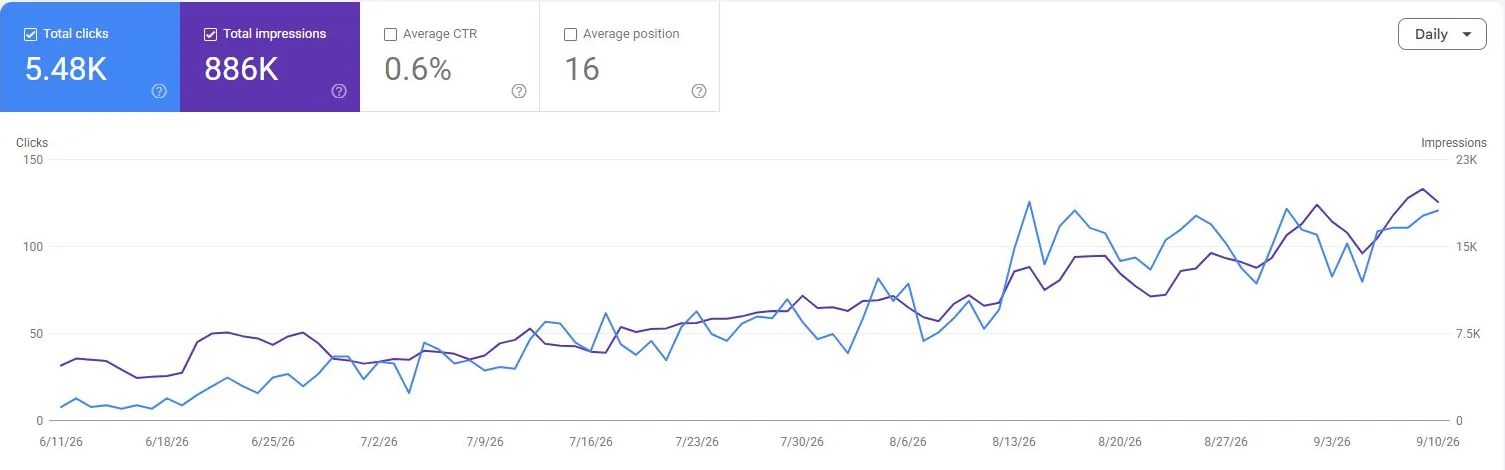
- PerformanceClicks, impressions, click-through rate and average position, by query, page, country, device or date. Up to 480 days back.
- Quick winsQueries sitting around positions 5 to 20 with real impressions. The cheapest places to gain clicks.
- Index checkWhether a page is indexed, when Google last crawled it, and which URL it picked as the canonical.
Google grants read-only access, so Muse can read your numbers but cannot change a setting. Ask it to disconnect Search Console and the stored credentials are deleted.
Why ask Muse about your Search Console
What our users say
The biggest thing is it cuts out the guessing. Instead of sitting there wondering what to chase next, I can get a pretty clear direction quickly and turn it into actual pages for the sites.
 Will Founder, Feisty Agency feistyagency.com
 “I was looking for a fast way to get real SEO data without learning yet another dashboard. ContextBolt nails that… I can ask for keyword difficulty, SERP overviews and competitor research in plain language, right in the tool where I already do my work.”
 Fred fredrobert.com
 “I like your product because it doesn’t feel like a whole new system I need to learn. I just added the MCP to my Claude config for the local website repo and started asking questions.”
 Matthias ordicall.ai
 “The research compounds instead of disappearing after each session.”
 Derek optimizeyourbiology.com
 Frequently asked questions
Something else on your mind? Get in touch.
Want the detail first? Read the full guide.
Is connecting Search Console to Muse free?
Asking about your Search Console spends no credits, ever. To connect, you need an active ContextBolt SEO plan, which starts as a 7-day free trial with 100 credits, card upfront, then $35 a month for 1,000 credits. The credits pay for keyword, competitor and audit research. Your own data stays free.
What can Muse read from my Search Console?
Clicks, impressions, click-through rate and average position, split by query, page, country, device or date, up to 480 days back. Muse can also check whether a URL is indexed, with its last crawl date and canonical. Google grants read-only access, so nothing in your Search Console account changes.
Why not let Muse open Search Console in its browser?
It could, once you sign in to Google on its screen. Then it reads charts as pictures, and Meta's cloud computer holds your Google session. The connection returns numbers as data a weekly task can compare, through read-only access you can revoke in one message. For keyword research on top, see SEO with Muse.
Does Muse keep a record of my numbers?
Yes. Every Search Console answer saves to your SEO Dashboard, dated, so a weekly task builds a history you can read back. The dashboard is private and opens with your account email and a sign-in code.
Is this the same setup as Muse Code?
No. Muse is Meta's personal agent on the web, iOS, Android and WhatsApp, with a computer in Meta's cloud, so it connects through a Custom Connector. Muse Code is Meta's terminal coding agent and reads MCP servers from a settings file. The Muse Code setup covers that one. The Search Console step is the same.
Keep reading
- Deep dive SEO With Muse: Live Keyword Data for Meta's Agent The Custom Connector route, and the Monday Search Console routine worth handing Muse.
- Guide Site Audit With Muse: Find What to Fix First Connect a crawler and Search Console, and get fixes ranked by the traffic each issue costs.
- Guide Connect Google Search Console to AI in One Click What your agent can read once Search Console is connected, and the quick wins to ask for first.
Live SEO data in Muse
Free for 7 days with 100 credits. Then $35 a month for 1,000 credits, with your Search Console tools free.
Start your free trial See everything ContextBolt SEO does