



Group keywords into named lists, filter the Keywords page by list, and export a list as a CSV. No credits.
The SEO Dashboard, part of ContextBolt SEO Your SEO research,
Your SEO research,
on one page.
Everything your agent looks up lands here, dated and sorted. Run the next lookup right from the page, on the same credits.
7-day free trial · then $35/mo · the dashboard is included
Trusted by 300+ users across the globe

Type it. See the price. Run it.
Each research page has its own box. The Run button shows the credits before anything runs, and the result saves to the same library your agent uses.
Keywords
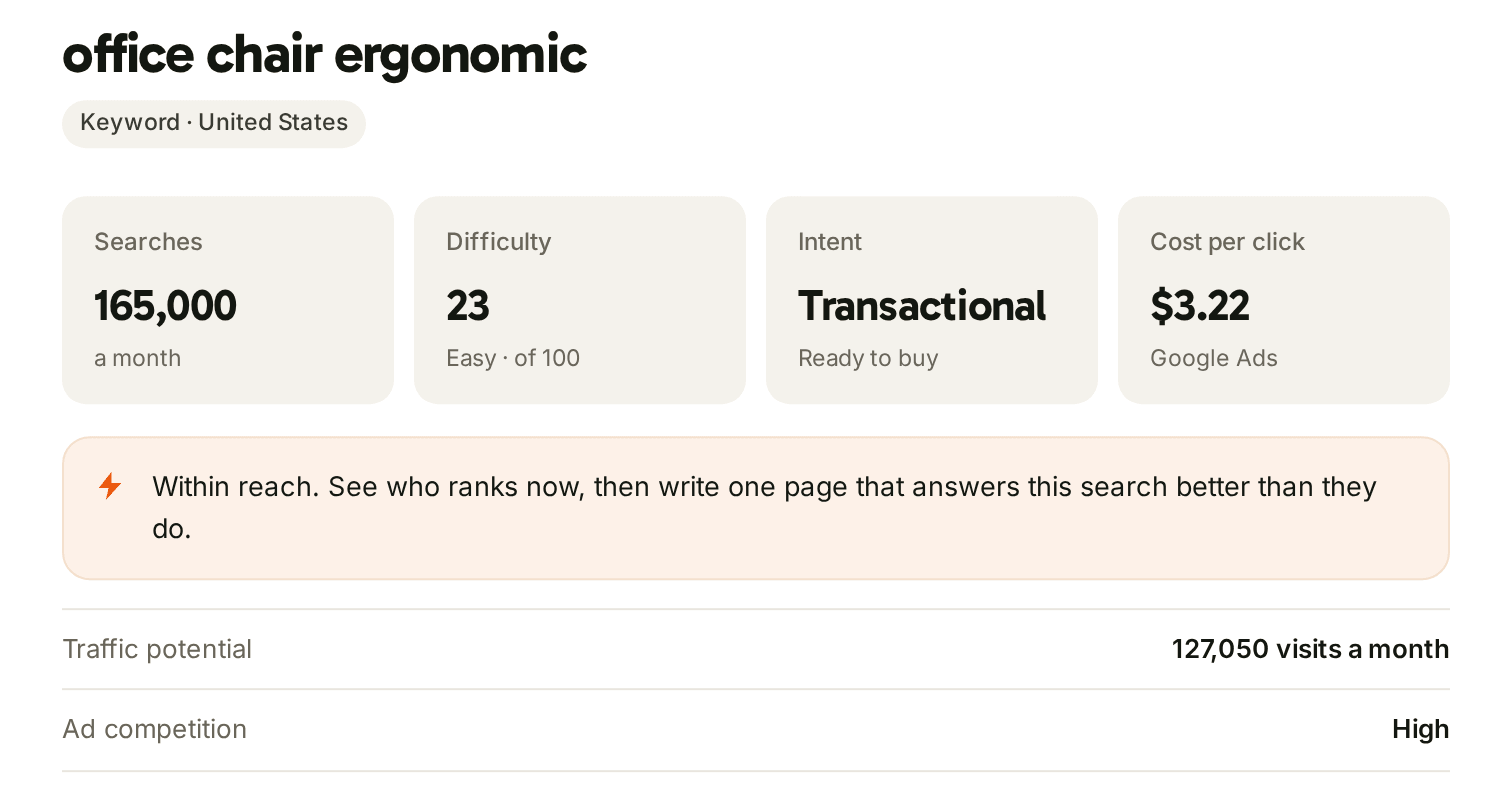
Ideas, difficulty and the live Google results.
Type a topic and get keyword ideas with searches, difficulty and intent. The opportunity map plots your top 60 by searches and shades the easy corner, where difficulty is under 30 and searches top 100 a month.
Competitors
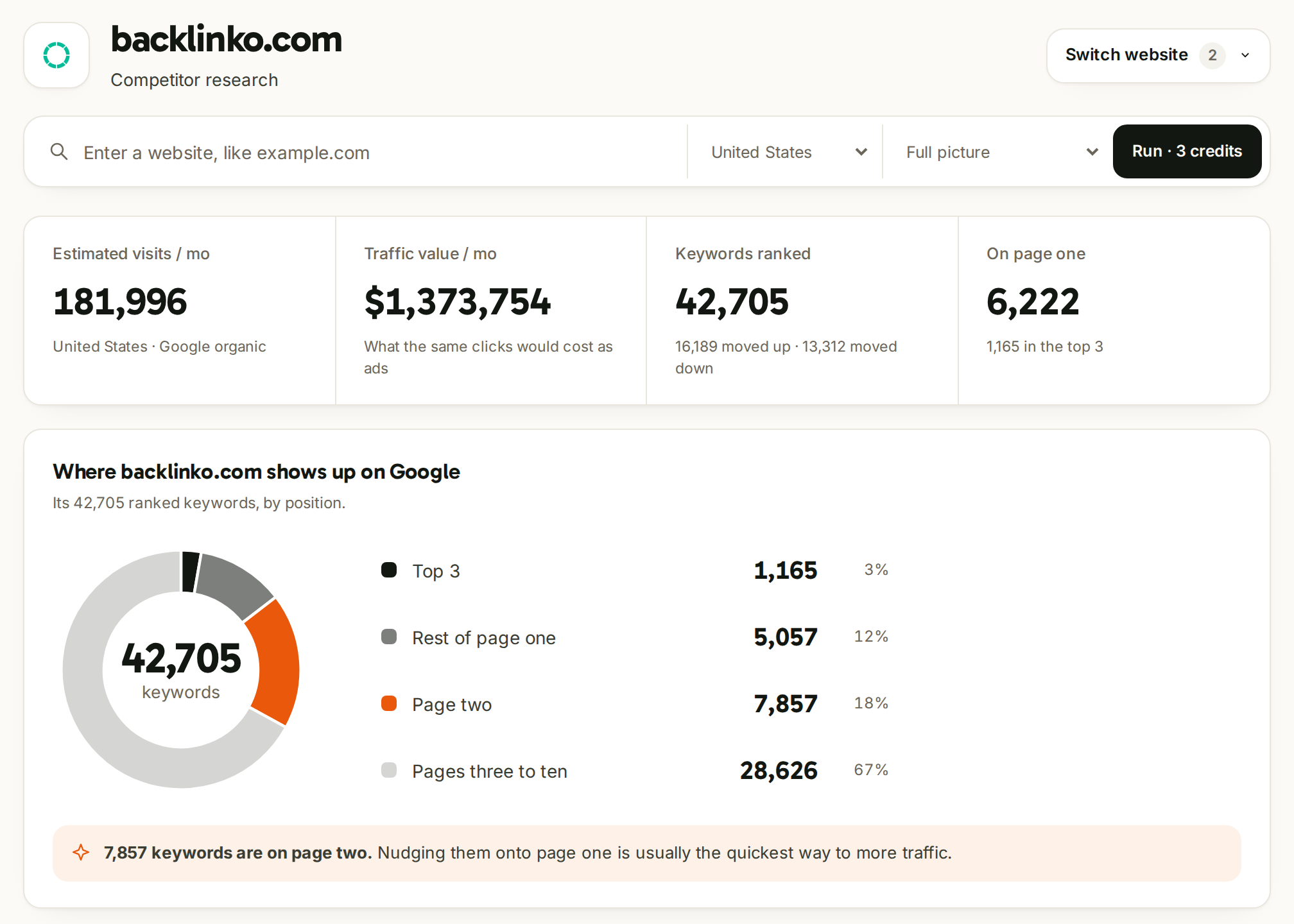
Any website's traffic, keywords and rivals.
Estimated visits, what that traffic would cost as ads, the keywords it ranks for and where on Google they sit. Run one lookup, or the full picture in one go. The button shows the total first.
Backlinks
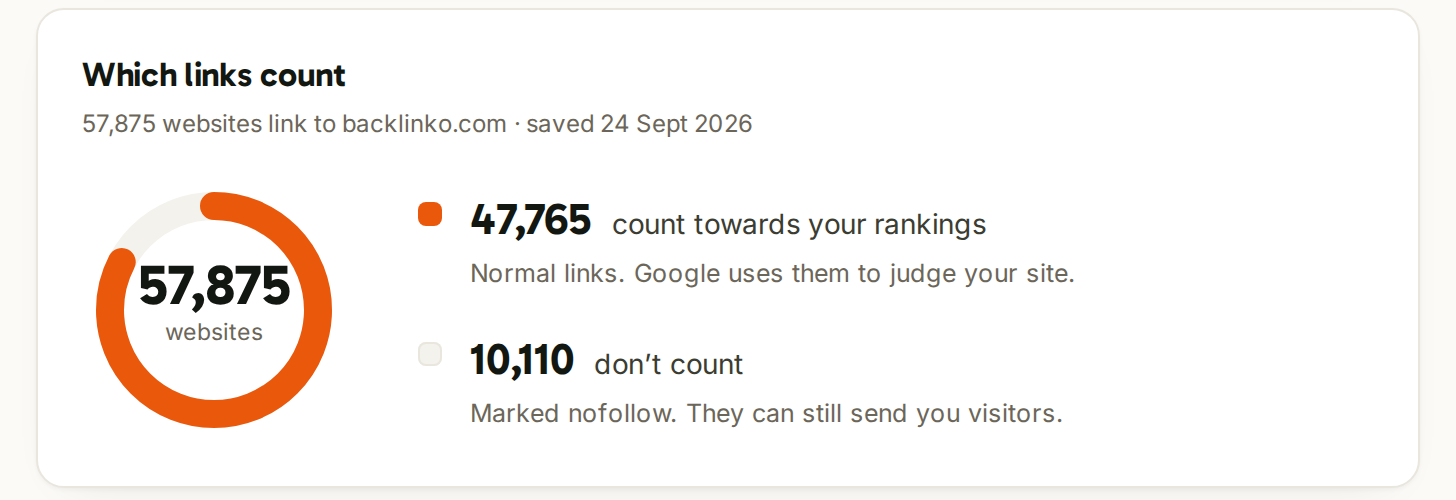
Who links to a site, and which links count.
Referring domains, backlinks, domain rank and spam score, then the split between links that pass ranking credit and nofollow ones. Connect Search Console and the link gap shows who links to a competitor but not to you.
Site audits
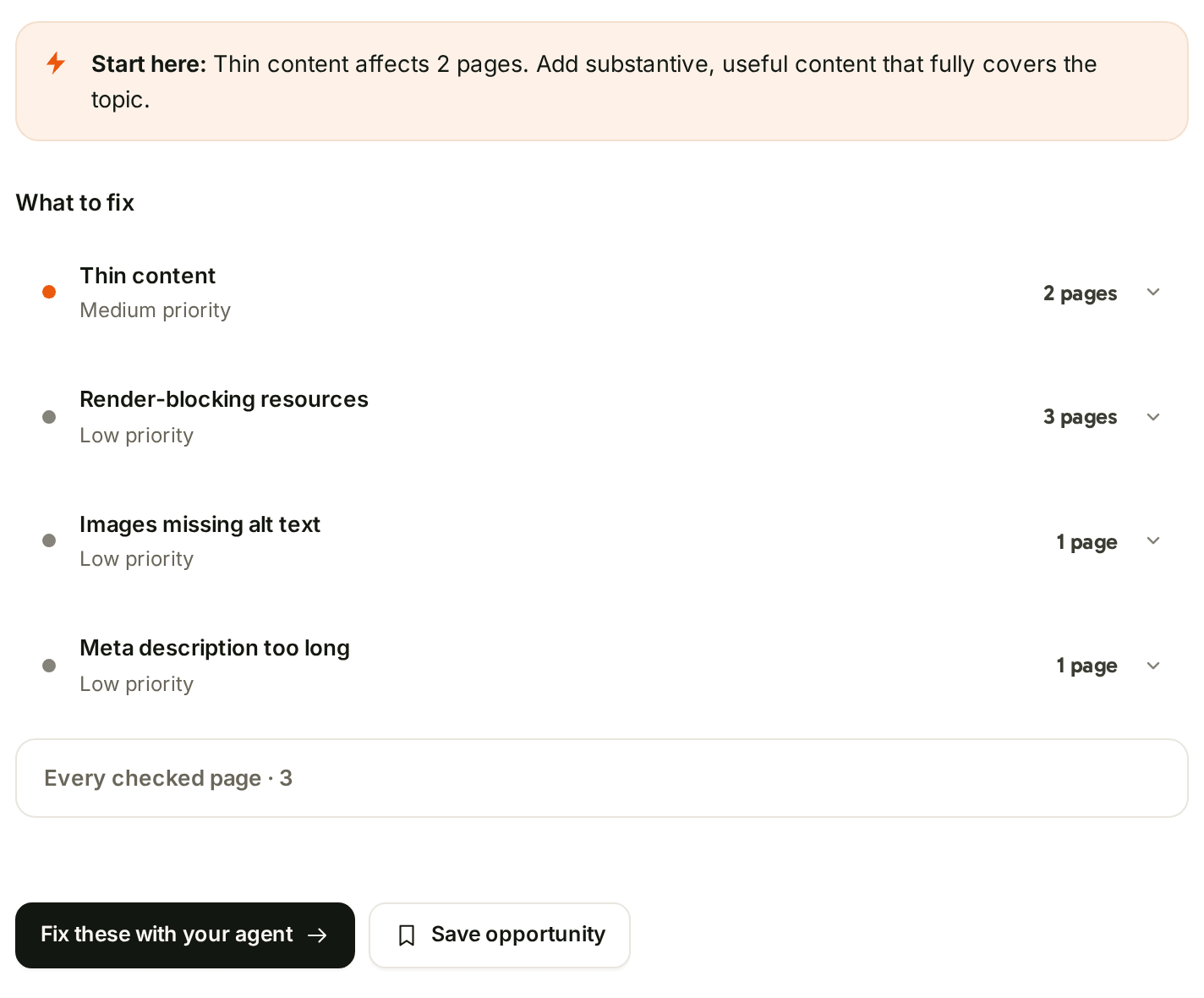
What to fix first, page by page.
Audit up to 50 pages. It costs 1 credit for each page that loads, never for one that fails. The issues come back in priority order, and one button turns them into a task for your agent.
AI brand lookup
Does AI name you?
See how AI answers mention a brand for 8 credits. Add up to four competitors and it compares share of voice for 8 more.

Your agent's research files itself.
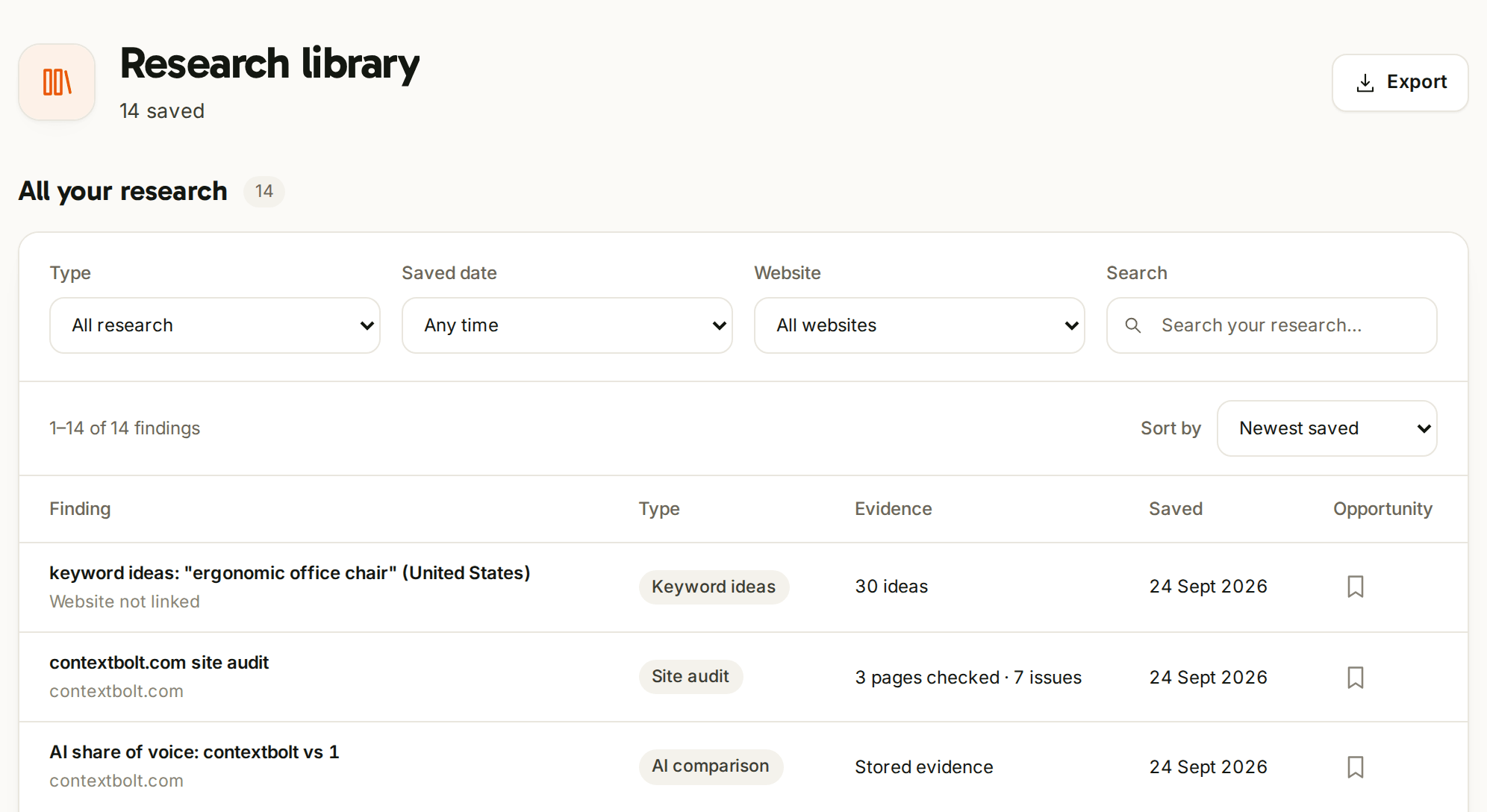
Ask your agent in Claude, Cursor or Codex and the answer comes back in the chat. It also lands in your research library, dated, with the evidence. Filter it by type, date or website, bookmark what matters, and export all of it.
The rest, in brief.
Connect it once and see your clicks, impressions, average position and click-through rate for 7, 28 or 90 days, and compare them with the period before.
Only the email on your account can sign in. A code arrives by email, and you stay signed in on that device for 30 days. No share link, no seats.
One price. Agent and dashboard.
Research from your AI agent, in plain English Keywords, competitors, backlinks, audits and AI brand lookups from the dashboard Every lookup saved to one research library Keyword lists and your own Search Console, zero credits
$35/mo One subscription and 1,000 credits a month. The same credits whichever side you run from.
Start your free trial “The research compounds instead of disappearing after each session.” · Derek · optimizeyourbiology.com
The dashboard, common questions.
What is the SEO Dashboard?
The page where your ContextBolt SEO research lives. Every lookup your agent runs saves there on its own, with the date and the evidence. You can also run keyword, competitor, backlink, site audit and AI brand lookups from the dashboard itself. It comes with your subscription and the 7-day free trial.
What can I run from the dashboard?
Keyword ideas, keyword difficulty and Google results; a website's traffic, top keywords and competitors; backlinks, referring domains and the link gap; site audits; and AI brand lookups with share of voice. The full AI visibility report, live answers from each AI assistant and single-page audits run through your agent.
Does research from the dashboard cost extra?
No. It uses the same credits as your agent, at the same prices, and the Run button shows the price before anything runs. Most lookups cost 1 credit, backlink lookups 3, AI brand lookups 8, and site audits 1 per page. Browsing the dashboard, your saved research and your Search Console numbers is free. The credits guide lists every price.
Do I still need an AI agent?
The agent is where ContextBolt SEO does the most. It reads the numbers, tells you what they mean, and writes the fix in the same chat. The dashboard is where that research stays, and where you run the next lookup when a box is quicker than a sentence. Connecting an agent is one URL and a sign-in.
Who can see my dashboard?
Only you. You sign in with the email on your ContextBolt SEO account and a code we email you, and you stay signed in on that device for 30 days. There is no share link and there are no teammate logins.
How do I open it?
Go to seo.contextbolt.app/login and enter the email on your account, or ask your agent for your dashboard and it gives you the address. The full walkthrough is in the dashboard guide.
More on ContextBolt SEO: how it works · AI visibility tracking · one hosted MCP URL · the dashboard guide · your own Search Console
Your research, one sign-in away.
Ask your agent, or run it from the page. Either way it lands in the same place.
Start your free trial Already a customer? Log in ContextBolt SEO · 7-day free trial · then $35/mo Start your free trial