You don’t have a bookmark problem. You have a recall problem.
Saving is easy. Every platform makes it one tap. Finding what you saved six months later is where the system breaks down. And it’s not because you’re lazy or disorganized. It’s because most bookmark systems are designed for write, not read.
Here are the 7 mistakes I see over and over (including ones I made for years), with the fix for each.
- Folder-only organization: categories drift as your interests shift.
- Saving without capturing the why: context is lost the moment you save.
- Using bookmarks as a read-later inbox: they pile up and never get read.
- Spreading saves across 5+ platforms: you can’t search what isn’t in one place, which is why ContextBolt pulls web pages and your X, Reddit and LinkedIn saves into one library.
- Relying on keyword search alone: you rarely remember the exact words.
- Believing you’ll tag everything manually: you won’t.
- Bookmarking the URL instead of the content: when the post dies, your save dies.
How to read this bookmark mistakes list
Some of these are tool problems. Some are workflow problems. Most are both. Each section explains what the mistake is, what it costs you, and the smallest change that actually fixes it. Skip to the decision framework at the end if you want the cheat sheet.
1. Putting everything in folders
The folder system asks you to predict the future. At save-time you decide that this tweet about negotiation tactics goes in ‘Career’. Six months later you remember a thread about salary negotiations and look in ‘Negotiation’ or ‘Salary’. Different folder. The tweet might as well not exist.
Folders also break the moment a single item belongs in two places. Where does a tweet about “remote team management during a recession” go? Career? Management? Macro? You pick one. You forget which one. The bookmark goes invisible.
The cost: most of your bookmarks become unfindable within a year. Not deleted, just lost in the wrong drawer.
The fix: stop building taxonomies. Use AI auto-tagging that surfaces topics across your collection, so the topic you remember is enough, and add semantic search on the AI side so you can describe what you remember instead of guessing the right folder name. ContextBolt does the tagging on arrival, and its Pro MCP endpoint does the searching by meaning. The deeper teardown is in why bookmark folders don’t work.
2. Saving without context
You hit bookmark on a great thread. You think “I’ll remember why this matters.” You don’t. A week later you scroll past it in your saves and can’t reconstruct what struck you about it. So you skip past it again.
This is the silent killer of bookmark systems. The save itself is high-effort because you have to interrupt your reading to do it. So at save-time the brain skips the second step (capturing the why) and just hits the button.
The cost: every bookmark you save without context becomes a tiny puzzle to solve later. The brain takes the path of least resistance and skips puzzles.
The fix: tools that capture the surrounding context (the author, the topic the tweet sits in) do the remembering for you. AI tagging does this automatically by extracting topics from the post content, and ContextBolt does it for every save on arrival, web page or post. You don’t have to add anything at save-time. The friction stays at zero. The recall context is added in the background.
3. Treating bookmarks as a read-later inbox
This is the big one. You’re scrolling X. You see something interesting. You bookmark it “to read properly later.” Repeat 30 times a week. Now your bookmarks page is a read-later inbox with 2,000 items in it.
You’re using one bucket for two jobs. Things you genuinely want to consume soon, and things you want to keep findable forever. The two have different decay rates. The “I’ll read it later” pile becomes a graveyard within weeks. The “I want this findable forever” pile gets buried under it.
This is the trap writers call the collector’s fallacy. The small hit of saving something feels like progress, so you keep collecting instead of reading. The pile grows, the guilt grows, and eventually you stop opening the folder at all.
The cost: the 5% of saves you actually want to retrieve get lost under the 95% of “I’ll read it later” saves you never touched. Both functions break at the same time.
The fix: separate save-for-recall from save-to-read. Use a read-later app (Matter, Reader, Instapaper) for the “I’ll read this properly” pile. Use ContextBolt for the “I want this findable forever” pile, since it keeps the text and tags the topic without a filing step. One inbox doing two jobs is the failure mode.
4. Saves scattered across 5+ platforms
You bookmark on X. You save on Reddit. You save on LinkedIn. You also have browser bookmarks, the Pocket library that’s still there from before the July 2025 shutdown, and notes in Apple Notes. Each platform has its own search. None of them search each other.
This is the structural problem nobody talks about. Even if every individual platform had perfect search, you’d still lose things because you can’t remember which platform you saved a given thing on. Was that “great post about cold email” on LinkedIn or X? You check both. You don’t find it on either. You give up.
The cost: when you remember “I saved something about that topic,” you have to check 5 places. You give up after 2.
The fix: route everything into a single searchable layer. ContextBolt does this automatically for X, Reddit, and LinkedIn (the three biggest social save buckets), and one click saves any web page into the same library, so the reference pile lives in one place. If you want a separate reading pile, keep one read-later app for it. Two libraries, max.
5. Searching for the exact words you remember
You remember a tweet about “managing a remote team during a crisis.” You search “remote team crisis.” Nothing. You search “managing remote team.” Nothing. The tweet actually said “leading a distributed group through chaos.” Same idea, different words. Native keyword search can’t bridge that gap.
This is why X’s native bookmark search feels broken even when it’s working as designed. It’s matching exact strings against the literal text of saved tweets. Human memory doesn’t store text. It stores meaning. The two don’t line up.
The cost: the tweets that would be most valuable (insights phrased in someone else’s vocabulary) are the hardest to find with keyword search.
The fix: semantic search. It matches by meaning, not exact words. ContextBolt uses vector embeddings on its Pro MCP endpoint, so you can ask an assistant for “remote team crisis” and get the “distributed group through chaos” tweet. Inside the extension itself, the AI topic tags do the bridging, so “remote work” finds the thread whatever words it used. See the deep-dive on semantic search for bookmarks for how the technology actually works.
6. Believing you’ll tag every bookmark manually
Every productivity guide tells you to tag your bookmarks consistently. Almost nobody does. Even Tiago Forte’s PARA system, designed around manual organization, breaks down for most people within weeks.
There are three reasons manual tagging fails, and they compound:
- The activation cost at save-time is too high. You have to stop, think, choose, and commit a tag. The brain refuses on the 14th save of the day.
- The tags you pick at save-time don’t match how you’d search later. Same problem as folders. You’re predicting the future.
- You can’t tag past saves. By the time you decide to start tagging, your existing 2,000 bookmarks remain untagged forever.
The cost: the 5% of items you tagged become findable. The 95% you didn’t are invisible. Worse, the half-tagged collection feels broken, so you stop trusting it and stop saving things at all.
The fix: AI auto-tagging that runs the moment you save, with no input from you. ContextBolt AI-tags every bookmark the moment it arrives. You never see a tag dialog. The collection stays consistent because it’s not depending on your willpower.
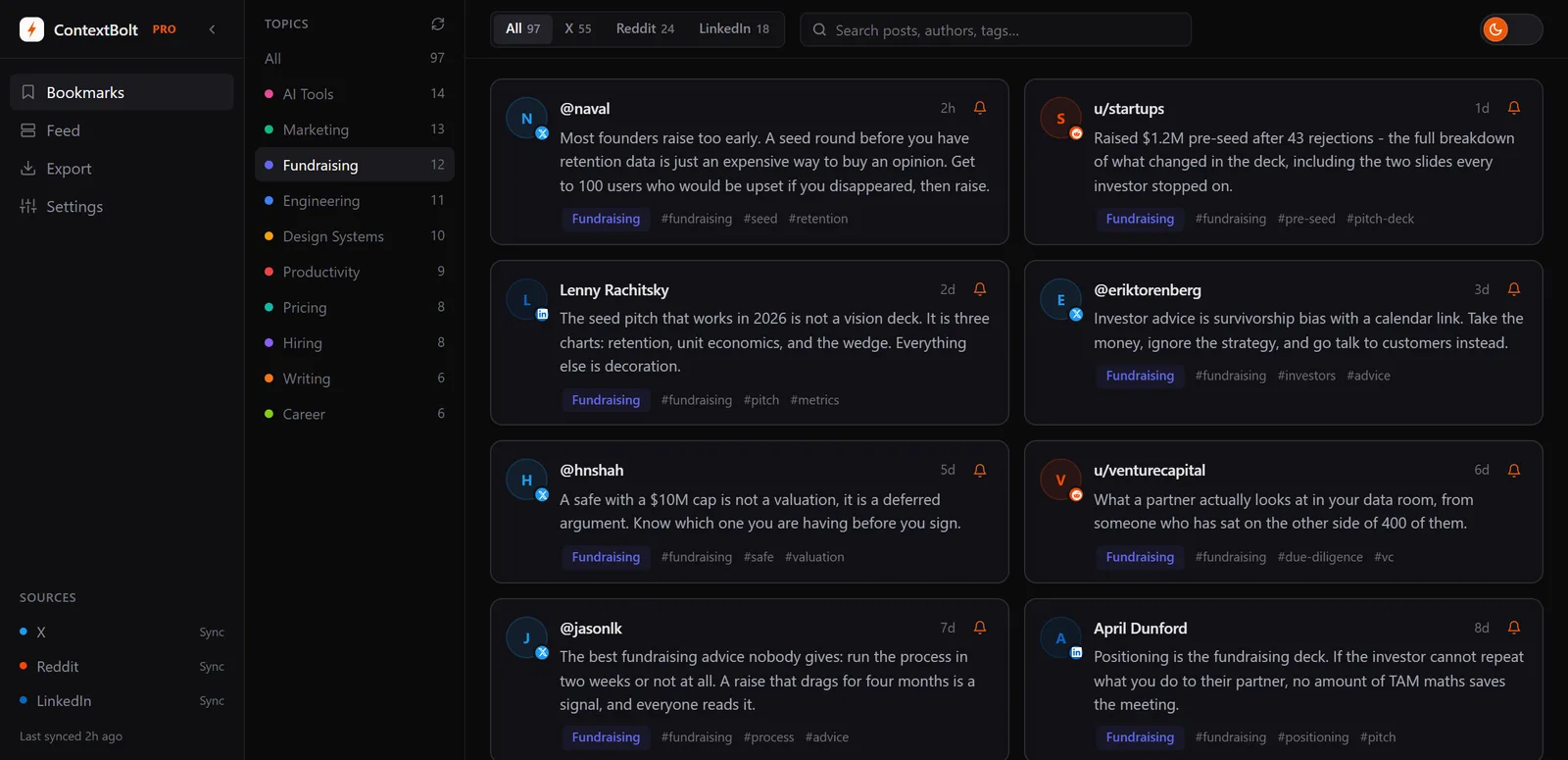
Topics generated automatically from your own bookmarks. No manual tagging required, no tag dialog at save time, no half-tagged collection.
7. Saving the link, not the content
You bookmark a tweet. Six months later, the tweet is deleted, the account is suspended, or the platform is blocking your region. Your bookmark is now a 404. You needed the content. You saved the address.
This is the fastest-growing failure mode for social bookmarks specifically. The content you save on X, Reddit, and LinkedIn doesn’t belong to you. It belongs to a user who can delete it, or a platform that can change its rules. Most bookmark tools store only the URL, which means they store only a pointer to something that can vanish.
It is not a rare edge case either. Pew Research found that 38% of web pages that existed in 2013 were gone by 2023. Link rot is the base rate of the internet, and a bookmark that stores only the address inherits it.
The cost: the more time passes, the more of your library decays. Bookmarks have a half-life nobody talks about.
The fix: tools that capture the post content (text and author) at save-time, not just the URL. ContextBolt keeps the text of every X, Reddit, LinkedIn and web save in your library from the moment you save it, so a deleted post still reads in your library. Dewey does the same for X alone. The full breakdown of why social bookmarks vanish is in why social bookmarks disappear.
How to build a bookmark system that actually works
Pick the line that sounds most like you.
- Under 50 bookmarks total, mostly tweets: Native X folders will hold for now. ContextBolt Basic is free with no account, and it fills itself from the saves you already make, so there is no cost to starting the library before you need it.
- Over 200 saves across 2 or more platforms: Route everything through a single tool that AI-tags every save and searches those tags. ContextBolt is built for this, and the 9 best Twitter bookmark managers comparison shows how it stacks up against the rest.
- You save tweets as evidence or for journalism: The deciding feature is a copy that survives deletion. ContextBolt keeps the post text and author from the moment you save, so a deleted thread still reads in your library.
- You read more than you reference: Use a read-later app (Matter, Reader, Readwise) for reading and ContextBolt for reference. Don’t make one inbox do both jobs.
- You use Claude or Cursor day-to-day: Get a tool with an MCP endpoint. ContextBolt’s Pro endpoint puts the pages and posts you saved into Claude, Claude Code, Cursor or Codex as live context, searchable by meaning.
The single biggest unlock is admitting that bookmark recall is a search problem, not an organization problem. Once you stop trying to file things into the right folder and start asking “what’s the system that lets me find this in five seconds in three years,” the right tool stack becomes obvious.
The seven mistakes above are all symptoms of the same root cause. Bookmark tools were designed when “search” meant “match exact keywords against a small set of saved URLs.” That model broke about a thousand bookmarks ago. The tools that work in 2026 take it as given that you don’t remember the exact words, you don’t have time to tag every save, you’ll save across multiple platforms, and the content you save will sometimes disappear. Build your stack around those assumptions and recall starts working again.
ContextBolt is built on exactly those four assumptions. Basic is free, with no account and no card, so the fix costs nothing to try.